Navigating virtual meetings with confidence is crucial in today’s professional landscape. This comprehensive guide delves into the nuances of effective virtual communication, equipping you with the tools and strategies to confidently engage in online discussions. From overcoming common anxieties to mastering virtual communication techniques, we’ll explore practical approaches for enhancing your online presence and fostering productive interactions.
This guide provides a structured approach to speaking confidently in virtual meetings. It covers everything from preparing for meetings to handling challenging situations, ensuring you feel prepared and empowered to participate effectively.
Understanding the Challenges of Virtual Meetings
Navigating virtual meetings can present unique challenges that differ significantly from in-person interactions. These challenges often stem from the inherent limitations of the technology and the adjustments required to adapt to a virtual environment. Overcoming these hurdles requires understanding the specific anxieties and concerns individuals may face and employing strategies to address communication barriers.Virtual meetings, while offering convenience and accessibility, can introduce a range of anxieties and uncertainties for participants.
These anxieties often stem from the lack of immediate, non-verbal cues, the potential for technical difficulties, and the perceived pressure to perform in a digital space. Participants may feel less confident expressing their opinions or asking questions in a virtual environment compared to in-person settings.
Common Anxieties and Concerns
Participants frequently experience anxiety related to the perceived lack of visual cues. The absence of non-verbal communication, such as body language and facial expressions, can lead to misinterpretations or a feeling of disconnect. This lack of immediate feedback can make individuals hesitant to contribute, fearing they might be misunderstood or misjudged. Similarly, the digital format can amplify the feeling of being observed and judged, contributing to performance anxiety.
Communication Barriers in Virtual Environments
Various communication barriers can arise in virtual meetings, hindering effective and confident communication. These barriers encompass technical difficulties, such as audio or video issues, which can disrupt the flow of conversation. Additionally, the lack of spontaneous interactions, which are commonplace in in-person meetings, can lead to less engaged discussions and reduced participant confidence. Digital distractions, such as notifications and other applications, can further contribute to the breakdown of focused communication.
Impact of Technology Limitations
Technological limitations can significantly impact the flow of communication and the confidence of participants. For instance, poor internet connectivity can cause audio and video disruptions, making it difficult to follow the conversation and contributing to a sense of frustration. Similarly, limitations in the meeting platform itself, such as poor screen sharing capabilities or inadequate tools for collaboration, can impede the flow of information and limit participation.
These factors can collectively diminish confidence and create a less productive meeting experience.
Strategies for Overcoming Challenges
Recognizing and addressing these challenges is crucial for a successful virtual meeting experience. Developing a clear understanding of the technology limitations and anticipating potential issues can significantly reduce anxiety. Ensuring a stable internet connection, testing the meeting platform beforehand, and preparing adequate supporting materials are critical steps to address technological limitations. Active listening and thoughtful responses, coupled with clear articulation of points, are important elements to maintain a constructive virtual discussion.
Seeking clarification when necessary and maintaining open communication channels can help mitigate misinterpretations and build trust among participants.
Building Confidence Through Preparation

Effective preparation is crucial for navigating virtual meetings with confidence. A well-structured approach, encompassing proactive planning and anticipating potential scenarios, significantly enhances your ability to participate confidently and contribute meaningfully. This involves more than simply reviewing materials; it’s about mentally preparing yourself for the dynamic nature of virtual interactions.
Preparing for Virtual Meetings: A Step-by-Step Process
Proactive preparation for virtual meetings minimizes anxiety and maximizes your contribution. A structured approach, breaking down the process into manageable steps, ensures a smooth and productive virtual meeting experience.
- Review the Meeting Agenda and Materials: Thorough examination of the meeting agenda and associated documents allows you to grasp the discussion points and anticipate potential questions or concerns. This pre-emptive understanding empowers you to formulate well-reasoned responses and contribute effectively.
- Identify Key Talking Points: Highlight the key aspects of the agenda that require your input or expertise. This proactive step allows you to focus on delivering valuable contributions, rather than simply reacting to the flow of the meeting.
- Anticipate Potential Questions: Consider potential questions from participants or the facilitator. This includes questions related to your area of expertise or areas where you may have specialized knowledge. Anticipating these questions allows you to prepare concise and informative answers, showcasing your preparedness.
- Prepare Supporting Data or Examples: For topics where evidence or examples are necessary, gather relevant data or real-world examples. This strengthens your arguments and demonstrates your in-depth understanding of the subject matter. Having supporting materials readily available boosts your confidence and allows you to address potential challenges effectively.
- Test Your Technology: Before the meeting, ensure your internet connection is stable and your audio-visual equipment (microphone, camera) functions correctly. Testing beforehand avoids technical glitches during the meeting, preventing interruptions and fostering a more focused and productive environment.
Potential Discussion Points and Responses
Anticipating potential discussion points and formulating thoughtful responses can significantly enhance your confidence during virtual meetings. This proactive approach helps you navigate the meeting with greater ease and assurance.
- Clarification Requests: Be prepared to address requests for clarification on complex points. A clear and concise explanation, often supported by relevant examples, can effectively address these requests. For instance, when discussing a project’s budget, be ready to clarify specific cost components or justify allocation decisions.
- Challenging Questions: Expect challenges to your perspectives or proposed solutions. Develop responses that acknowledge differing viewpoints while maintaining the validity of your own position. Use evidence and examples to support your statements, making your response both persuasive and confident.
- Unexpected Developments: Unforeseen events or issues might arise. Have a general strategy for addressing these challenges, focusing on practical solutions. For example, a sudden technical problem during the meeting might necessitate a temporary shift to alternative communication channels, while maintaining the meeting’s progress.
Meeting Materials and Personal Preparation Checklist
A comprehensive checklist ensures you’ve covered all the essential elements for a successful virtual meeting experience.
| Category | Items |
|---|---|
| Meeting Materials | Meeting agenda, presentation slides, relevant documents, supporting data |
| Technical Setup | Stable internet connection, functioning microphone and camera, tested audio-visual equipment |
| Personal Preparation | Reviewing meeting materials, identifying key talking points, anticipating potential questions, preparing supporting data |
Mastering Virtual Communication Techniques

Navigating virtual meetings effectively involves more than just joining a video call. It requires a conscious effort to adapt communication styles and engage actively, ensuring clarity and connection. This section delves into specific techniques for maximizing your participation and impact in virtual environments.Virtual meetings demand a different approach compared to in-person interactions. Effective communication relies on understanding and employing specific techniques, which will be explored in detail.
This includes actively listening, strategically using nonverbal cues, and tailoring your communication style to the virtual space.
Engaging with the Virtual Meeting Environment
Effective participation in virtual meetings hinges on a proactive approach to engagement. This involves recognizing the specific nuances of the virtual environment and tailoring your approach accordingly. Participants need to be mindful of factors like technology limitations, potential distractions, and the need for enhanced clarity in communication.
- Minimize Distractions: A dedicated workspace free from interruptions is crucial for focused participation. Inform those around you about the meeting to minimize disturbances. Turning off notifications and muting your audio when not speaking are also essential steps in creating a productive virtual environment.
- Maintain Eye Contact (Virtually): Though virtual, maintaining visual contact with the speaker and other participants is important. Directly looking at the camera or the video feed of other attendees fosters a sense of presence and connection. This approach mirrors in-person interactions.
- Active Listening: Virtual meetings often lack the immediate feedback loops of in-person interactions. Active listening, demonstrated by nodding, brief verbal confirmations, and asking clarifying questions, is vital to ensure everyone feels heard and understood.
Actively Participating and Contributing
Active participation goes beyond simply attending; it involves contributing meaningfully to the discussion. This includes using appropriate language, sharing relevant insights, and responding thoughtfully to others’ comments.
- Clear and Concise Communication: In virtual settings, clarity is paramount. Use concise language, avoid jargon, and structure your thoughts logically. Clearly state your points and avoid ambiguity.
- Timely Responses: Responding to questions and comments promptly demonstrates engagement and fosters a collaborative environment. Aim to respond within a reasonable timeframe to keep the conversation flowing.
- Summarizing and Clarifying: Regularly summarizing key points and clarifying any ambiguities enhances understanding and ensures everyone is on the same page. This practice is crucial in virtual meetings to avoid misunderstandings and misinterpretations.
Using Nonverbal Cues Effectively
Nonverbal cues play a significant role in communication, even in virtual settings. Understanding and utilizing these cues effectively can greatly enhance your communication and engagement.
- Body Language: While physical posture isn’t directly visible, maintaining an upright posture, using appropriate hand gestures (while looking at the camera), and maintaining eye contact are crucial in conveying engagement and confidence.
- Facial Expressions: Smiling, nodding, and other facial expressions can help convey enthusiasm and engagement. Using a natural tone and expression is crucial to create a sense of connection.
- Tone of Voice: Even though visuals are present, a professional tone of voice remains vital. Speak clearly and avoid distracting noises to ensure your message is conveyed effectively.
Comparing and Contrasting Virtual and In-Person Communication Styles
Virtual communication differs significantly from in-person communication. Recognizing these differences is key to adapting your communication style for virtual meetings.
| Characteristic | Virtual Communication | In-Person Communication |
|---|---|---|
| Nonverbal Cues | Limited nonverbal cues; reliant on digital representations (e.g., facial expressions, body language) | Rich nonverbal cues; including facial expressions, posture, and gestures. |
| Engagement | Requires conscious effort to maintain engagement and participation. | Engagement can be more spontaneous and intuitive. |
| Feedback | Feedback can be delayed and require more active participation. | Feedback is often immediate and direct. |
Improving Verbal and Nonverbal Communication
Effective verbal and nonverbal communication is crucial for building rapport and achieving desired outcomes in virtual meetings. Clear, concise communication fosters understanding and reduces misunderstandings, while mindful nonverbal cues demonstrate engagement and professionalism. This section will delve into strategies for enhancing both verbal and nonverbal communication in virtual environments.
Importance of Clear and Concise Verbal Communication
Precise and concise verbal communication is paramount in virtual meetings to ensure everyone understands the message without ambiguity. In a virtual setting, distractions and interruptions are more prevalent than in face-to-face interactions, making clear communication even more critical. The lack of immediate nonverbal feedback can amplify the need for unambiguous and well-articulated statements. By employing clear and concise language, participants can minimize misinterpretations and foster a more productive meeting.
Techniques for Improving Clarity and Projection
To enhance clarity and projection in virtual meetings, several techniques can be employed. These strategies help ensure that the message is effectively conveyed and understood by all participants.
- Speak Clearly and Deliberately: Avoid rushing through your points. Enunciate your words carefully and maintain a steady pace. This allows for better comprehension and reduces the likelihood of misinterpretations.
- Use Simple and Direct Language: Employ straightforward language to avoid jargon or technical terms that may not be familiar to all participants. Be mindful of your audience and tailor your language accordingly. Using simple and direct language enhances understanding.
- Structure Your Points Logically: Organize your thoughts and present them in a logical sequence. This will help maintain the flow of the conversation and make it easier for the audience to follow your arguments. Clear structure contributes to better comprehension and allows for easier absorption of information.
- Pause for Emphasis: Strategic pauses can add emphasis to key points and allow participants to process information. This helps create a sense of structure and enhances the impact of your message. Pauses are vital for clarity and impact.
- Check for Understanding: Actively solicit feedback from the participants to ensure they understand your message. This is especially important in virtual settings where nonverbal cues are less prominent. Checking for understanding fosters active engagement and reduces potential misunderstandings.
Significance of Nonverbal Cues in Virtual Meetings
Nonverbal cues, despite the absence of face-to-face interaction, still play a significant role in virtual meetings. They contribute to conveying engagement, professionalism, and overall communication effectiveness. Body language, tone of voice, and facial expressions can greatly influence how the message is received.
Utilizing Body Language, Tone of Voice, and Facial Expressions
In virtual meetings, the absence of physical presence necessitates heightened awareness of nonverbal cues. To maintain engagement and professionalism, participants should consciously utilize body language, tone of voice, and facial expressions to enhance communication.
- Body Language: Maintain good posture and be mindful of your physical presence in the virtual space. This is often interpreted as engagement and professionalism. Appropriate posture and body language are vital for projecting confidence and professionalism.
- Tone of Voice: Adjust your tone of voice to match the context and tone of the meeting. Enthusiasm and a friendly tone can be conveyed even virtually. A professional tone, along with appropriate inflection, conveys professionalism and respect.
- Facial Expressions: Use facial expressions to convey your emotions and engage with the conversation. Even a subtle smile or nod can demonstrate engagement and create a positive virtual atmosphere. Appropriate facial expressions are important for maintaining a positive virtual atmosphere.
Handling Difficult Situations in Virtual Meetings
Navigating virtual meetings can sometimes present unique challenges, particularly when disagreements or difficult interactions arise. Effective strategies for managing these situations are crucial for maintaining a productive and respectful environment. By understanding common pitfalls and practicing proactive approaches, participants can transform challenging moments into opportunities for growth and collaboration.Understanding the dynamics of virtual communication is paramount in handling difficult situations.
Virtual environments can sometimes amplify the challenges of in-person communication due to the lack of nonverbal cues and the potential for misinterpretations. Consequently, fostering a climate of understanding and respect is essential.
Common Challenges and Disagreements in Virtual Settings
Virtual meetings often present unique challenges that can lead to disagreements. These can include technical difficulties, communication barriers, and differences in working styles. Participants may find it harder to gauge emotional responses, leading to misunderstandings. Misinterpretations of tone and body language, absent in the virtual realm, can contribute to conflict.
Strategies for Managing and Responding to Challenging Interactions
Proactive steps can mitigate challenging interactions. Active listening and seeking clarification are paramount. A calm and respectful tone, even when facing disagreement, is vital. Avoiding interrupting others and actively acknowledging their contributions creates a more conducive environment. Acknowledging and validating others’ perspectives is important, even when you disagree.
Taking a moment to consider the other person’s point of view helps foster a more productive exchange.
Strategies for Navigating Conflicts and Disagreements Constructively
Conflict resolution in virtual meetings requires a structured approach. Suggesting a break to allow participants to cool down and re-evaluate their positions can be beneficial. Using collaborative problem-solving techniques, such as brainstorming, can help participants reach a mutually agreeable solution. Using a neutral third party (a facilitator or meeting leader) can often mediate discussions.
The Importance of Active Listening in Virtual Meeting Scenarios
Active listening is a cornerstone of effective communication in any setting, and especially critical in virtual meetings. Focusing on understanding the speaker’s perspective, rather than formulating a response, is key. Seeking clarification when needed demonstrates respect and ensures comprehension. This is crucial in virtual settings, where non-verbal cues are absent. Restating the speaker’s points in your own words demonstrates engagement and ensures everyone is on the same page.
This practice ensures everyone is heard and understood.
Overcoming Communication Barriers in Virtual Meetings
Effective communication is paramount in virtual meetings, yet subtle nuances and diverse backgrounds can create barriers. Understanding these barriers and developing strategies to overcome them is crucial for fostering productive and inclusive interactions. This section will delve into the significance of diverse communication styles, cultural and linguistic differences, and provide practical approaches for overcoming these challenges and fostering a sense of shared understanding.
Understanding Diverse Communication Styles
Different communication styles, including direct vs. indirect, high-context vs. low-context, and formal vs. informal, exist across cultures and individuals. Recognizing these variations is essential for navigating virtual meetings successfully.
Understanding these differences helps us anticipate potential communication challenges and tailor our approach for optimal engagement. A direct communication style, for instance, may be perceived as abrupt in cultures that value indirectness. Conversely, an indirect approach might be misinterpreted as evasiveness in a culture emphasizing clarity. Recognizing and respecting these nuances fosters a more welcoming and productive virtual environment.
Adapting Communication Style for Diverse Audiences
Adapting one’s communication style to diverse audiences in virtual meetings requires mindful consideration. A flexible approach that accounts for different communication preferences is key. This involves paying attention to both verbal and nonverbal cues, and adjusting the tone and language accordingly. For example, using concise and direct language for those accustomed to straightforward communication, while employing more elaborate explanations and examples for those preferring a more detailed approach, enhances comprehension and inclusivity.
Identifying Cultural and Linguistic Barriers
Cultural and linguistic differences can create significant barriers in virtual meetings. Variations in communication norms, such as directness, formality, and nonverbal cues, can lead to misinterpretations and misunderstandings. For instance, a gesture considered polite in one culture might be offensive in another. Similarly, linguistic differences, including varying degrees of fluency in the meeting language, can hinder effective communication.
These barriers can be mitigated through proactive measures and sensitivity to diverse cultural and linguistic backgrounds.
Practical Strategies for Overcoming Barriers
Practical strategies for overcoming communication barriers and fostering inclusivity in virtual meetings include clear and concise communication, active listening, and seeking clarification. Using visual aids and diverse communication channels can also enhance understanding. Furthermore, being mindful of nonverbal cues is critical, as these can convey meaning independent of spoken words. Providing clear instructions, ensuring all participants have an opportunity to speak, and actively monitoring for signs of confusion or disengagement are all essential steps.
- Employing Visual Aids: Visual aids, such as presentations with clear text and visuals, can aid comprehension and facilitate engagement, especially for individuals with varying degrees of linguistic proficiency.
- Promoting Active Listening: Active listening, which involves paying close attention to what others are saying, both verbally and nonverbally, is vital for understanding diverse perspectives and building trust in virtual meetings.
- Seeking Clarification: If a participant expresses confusion or uncertainty, encouraging them to ask questions or seek clarification promotes a collaborative and inclusive environment. This allows for addressing any communication gaps directly and promptly.
- Utilizing Diverse Communication Channels: Using various communication channels, such as chat features or breakout rooms, can cater to different learning styles and communication preferences, providing alternative avenues for participation and engagement.
- Being Mindful of Nonverbal Cues: Nonverbal cues, such as tone of voice, facial expressions, and body language, can significantly influence how messages are perceived. Acknowledging and interpreting these cues with cultural sensitivity can foster greater understanding.
Enhancing Engagement and Interaction in Virtual Meetings
Virtual meetings, while offering convenience, can sometimes feel impersonal. To foster a productive and collaborative environment, it’s crucial to prioritize engagement and interaction. This involves actively seeking participation from all attendees and creating a sense of community. Effective strategies can transform a passive listening session into a dynamic exchange of ideas.
Strategies for Keeping Virtual Meetings Dynamic and Engaging
Maintaining engagement in virtual meetings requires a proactive approach. Simply presenting information isn’t enough; attendees need opportunities to interact and contribute. Careful planning and a variety of interactive elements can significantly improve engagement. These strategies can help create a more dynamic and engaging experience for everyone.
- Employ a variety of communication tools: Utilizing features like breakout rooms, polls, Q&A sessions, and chat functionalities can encourage active participation. This allows for focused discussions and provides avenues for individual contributions, ensuring everyone feels heard. For example, using breakout rooms for smaller group discussions can facilitate deeper engagement than large-group settings, allowing for more in-depth interaction and the opportunity for diverse viewpoints to be heard.
- Encourage active participation: Pose open-ended questions, invite volunteers to share ideas, and actively call on attendees from different parts of the virtual room. This encourages everyone to contribute and prevents a few individuals from dominating the conversation. For instance, if a meeting is focused on brainstorming, allocating specific time slots for individuals or small groups to share their ideas can help foster a more inclusive and participatory environment.
- Use interactive visual aids: Incorporate polls, quizzes, and real-time feedback mechanisms into presentations to keep attendees engaged. Interactive presentations are often more effective than static ones. A quiz at the end of a presentation can reinforce key points and ensure understanding among participants. This method allows for immediate feedback, making the learning process more interactive and engaging.
Fostering a Sense of Community and Connection in Virtual Settings
Building a sense of community in virtual meetings is essential for fostering collaboration and trust. Creating a welcoming and inclusive environment is crucial to make participants feel comfortable contributing and connecting with others. This is achieved through conscious efforts to foster camaraderie and a sense of belonging.
- Establish clear meeting protocols: Define guidelines for participation, such as turn-taking and respecting others’ viewpoints. This creates a structured environment that encourages respectful interaction. Clear guidelines can help establish expectations and ensure that the meeting remains focused and productive.
- Use icebreakers and introductions: Initiate meetings with engaging icebreakers or introductions to encourage interaction and connection. These can be simple prompts, like sharing a personal interest or a quick question about the current topic. Start with a short icebreaker to get participants engaged and ready to participate actively in the meeting.
- Promote virtual networking opportunities: Organize virtual coffee breaks or informal chat sessions to allow participants to connect on a personal level. These breaks allow participants to get to know each other better and build rapport, leading to improved collaboration and engagement in the meeting itself. For example, a designated virtual coffee break at the halfway point can allow for casual interaction and help break down barriers between participants.
Interactive Activities to Enhance Participation and Engagement
Interactive activities are vital for boosting participation and engagement. They can range from simple polls to more complex collaborative exercises. The key is to tailor the activity to the meeting’s objectives and the audience’s preferences.
- Polls and Q&A sessions: Polls can gauge opinions and understanding, while Q&A sessions allow participants to ask clarifying questions. These can be used throughout the meeting to keep attendees engaged and ensure everyone is on the same page. For example, a poll asking participants about their current understanding of a topic can gauge their comprehension and ensure that any necessary clarification is provided.
- Collaborative brainstorming sessions: Utilize online whiteboards or shared documents for collaborative brainstorming. This allows participants to contribute ideas simultaneously and fosters a sense of shared ownership. This can lead to more creative and comprehensive solutions.
- Role-playing exercises: These can simulate real-world scenarios, allowing participants to practice applying concepts in a safe environment. Role-playing activities can help participants develop critical thinking and problem-solving skills.
Encouraging Audience Participation in Virtual Discussions
Active participation is crucial for successful virtual discussions. Creating an environment where everyone feels comfortable speaking up is essential. This can be achieved through various strategies, including active facilitation and the use of inclusive communication techniques.
- Actively solicit input from diverse participants: Ensure that individuals from different backgrounds and perspectives have the opportunity to share their ideas. By consciously calling on participants from different parts of the virtual room, facilitators can encourage inclusive and diverse contributions.
- Encourage constructive feedback: Establish a framework for respectful and constructive feedback. This encourages participants to share their opinions and insights without fear of judgment or criticism.
- Use open-ended questions: Open-ended questions invite detailed responses and encourage a wider range of perspectives. By using open-ended questions, the facilitator can encourage participants to share their ideas and experiences in greater detail.
Utilizing Virtual Meeting Tools Effectively
Virtual meeting platforms have become indispensable tools for modern communication. Effectively leveraging their features can significantly enhance the productivity and engagement of virtual meetings. This section details best practices for using various platforms, focusing on maximizing the potential of each platform’s capabilities. Understanding and applying these techniques can transform virtual meetings from simple interactions to dynamic collaborative sessions.Mastering the nuances of virtual meeting tools empowers participants to actively contribute and fosters a more productive environment.
It facilitates seamless transitions between tasks, enhances engagement, and ultimately leads to more efficient and successful outcomes.
Best Practices for Using Different Virtual Meeting Platforms
Different virtual meeting platforms offer unique features and functionalities. Adhering to platform-specific best practices is crucial for maximizing efficiency. This includes familiarizing yourself with the platform’s navigation, sharing options, and interactive tools. For example, platforms like Zoom, Microsoft Teams, and Google Meet offer various features, and understanding how to use them effectively can greatly improve the meeting flow.
Platform Features and Functionalities for Improved Meeting Flow
Understanding the available features and functionalities within a chosen platform is essential for a smooth meeting. This knowledge enables participants to contribute effectively and efficiently. Features like screen sharing, breakout rooms, and polls facilitate dynamic interaction and engagement, enhancing the overall meeting experience. Proper use of these features can transform a passive presentation into a collaborative discussion.
Screen Sharing Techniques
Screen sharing is a valuable tool for demonstrating content, collaborating on documents, or guiding participants through complex processes. Effective screen sharing requires clear communication and anticipation of potential issues. Clearly state the purpose of the screen share and provide context. For example, if you are sharing a presentation, ensure the presentation is visible and easy to navigate.
Breakout Room Management
Breakout rooms are crucial for facilitating smaller group discussions and collaborative tasks. Proper management of breakout rooms is key for maximizing their effectiveness. Assign specific tasks or discussion topics to each room and clearly define the objectives. Assign a designated facilitator to each breakout room to guide the discussion and ensure all voices are heard. Provide clear instructions on how to return to the main meeting space and ensure a smooth transition between breakout rooms and the main meeting.
Using Polls and Q&A
Polls and Q&A sessions are powerful tools for gathering feedback, understanding participant perspectives, and addressing concerns. Utilize polls to gauge participant opinions on specific topics or gather insights on their progress. Facilitate the Q&A session in a structured manner, encouraging participants to ask questions and ensuring all questions are addressed.
Maximizing the Effectiveness of Various Tools in Virtual Meetings
A comprehensive guide for maximizing the effectiveness of virtual meeting tools should incorporate detailed information about each platform’s specific features. This includes a clear explanation of how to utilize screen sharing, breakout rooms, and polls effectively. Furthermore, the guide should Artikel best practices for navigating the platform’s interface, ensuring all participants can access and use the tools smoothly.
For example, provide specific instructions on how to share documents or presentations within the chosen platform.
Building a Strong Online Presence
A strong online presence is paramount in virtual meetings, fostering trust and engagement. It goes beyond simply appearing on screen; it encompasses projecting confidence, establishing rapport, and showcasing expertise to create a positive and productive meeting experience for all participants. This section will delve into the importance of crafting a compelling online persona and demonstrating your knowledge effectively.
Projecting Confidence Through Your Online Persona
A confident online persona is crucial in virtual meetings. This is not about arrogance, but about projecting a sense of preparedness and competence. Participants are more likely to trust and engage with individuals who appear composed and knowledgeable.
- Clear and Professional Visuals: Use a well-lit backdrop, ensuring the background is not distracting or unprofessional. A neutral background is generally recommended. Dress professionally, even if the meeting is casual, as this can subtly affect your demeanor. Ensure your camera is positioned appropriately, allowing participants to see your face clearly.
- Thoughtful and Concise Communication: Before joining the meeting, prepare your thoughts. Avoid rushing through your responses, and take time to articulate your points clearly and concisely. Practice active listening, demonstrating engagement and understanding.
- Positive Body Language: While nonverbal cues are subtle in virtual meetings, maintaining a positive posture and using appropriate hand gestures, when relevant, can communicate confidence and engagement. Smile naturally to create a welcoming atmosphere.
Establishing Rapport and Credibility
Building rapport and credibility is vital for successful virtual interactions. This involves connecting with participants on a personal level while demonstrating your expertise. Participants are more receptive to individuals who show genuine interest and understanding.
- Active Listening: Engage attentively with participants by making eye contact (using the camera) and actively listening to what they are saying. Summarize and reiterate points to ensure understanding.
- Respectful Communication: Use respectful language and tone, even when discussing challenging issues. Avoid jargon or technical terms that might confuse or exclude participants. Be mindful of cultural differences in communication styles.
- Authenticity: Be yourself. Authenticity builds trust and rapport more effectively than any forced persona. Participants appreciate genuine interactions, and this translates to greater engagement and understanding.
Showcasing Expertise and Knowledge
Demonstrating your expertise and knowledge enhances your credibility and engagement. This can be achieved through thoughtful preparation, concise communication, and a willingness to share relevant insights.
- Thorough Preparation: Before the meeting, review the agenda and related materials. Anticipate potential questions and prepare well-reasoned answers. This preparedness reflects competence and allows for confident participation.
- Sharing Relevant Examples: Illustrate your points with specific examples, data, or case studies to support your claims and enhance understanding. This adds depth and value to your contributions.
- Using Visual Aids Effectively: Use slides or other visual aids to illustrate key points. Ensure the visuals are clear, concise, and easily understandable, avoiding overwhelming participants with complex information.
Examples of Strong Virtual Meeting Practices
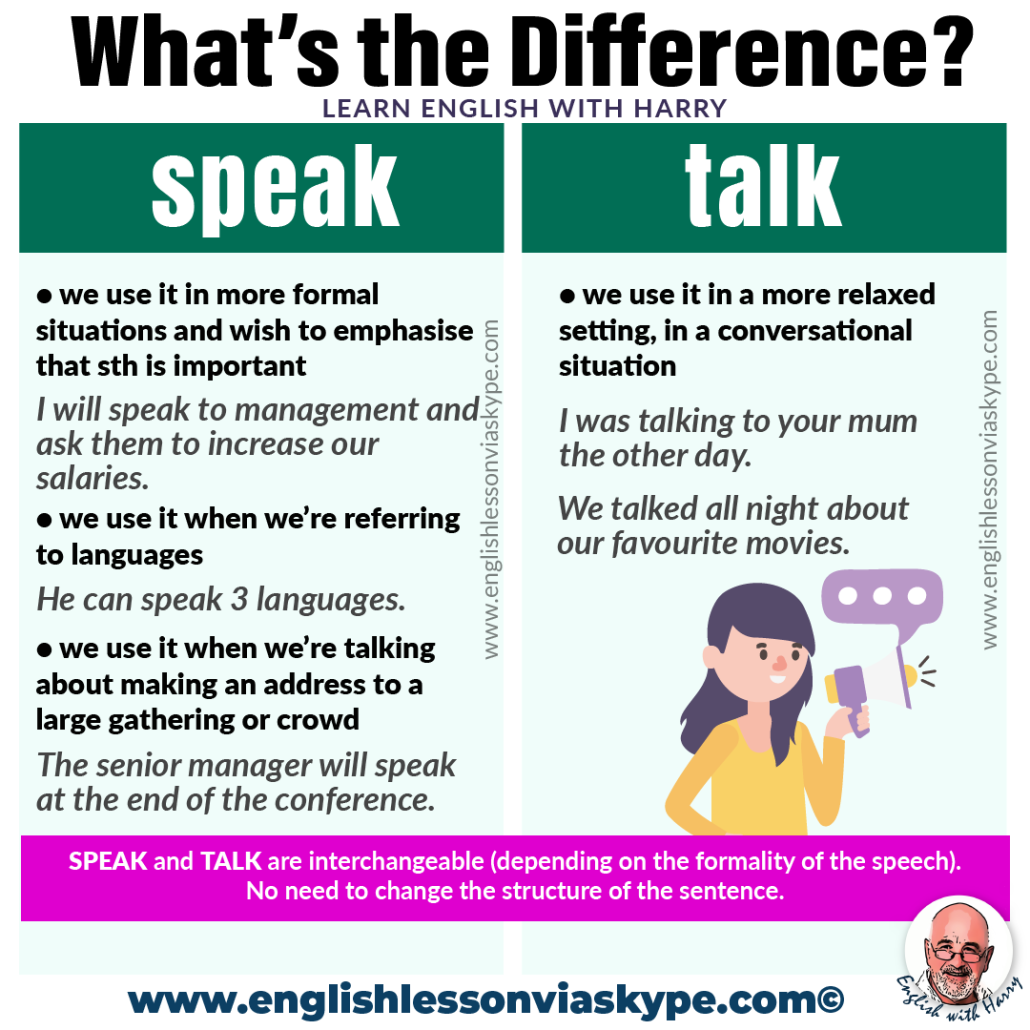
Effective virtual meetings hinge on more than just technical proficiency. They require a conscious effort to cultivate a positive and productive environment. Strong practices foster engagement, clarity, and a sense of shared purpose among participants, making the virtual experience feel more akin to an in-person gathering.Participants can demonstrate confidence and enhance engagement through meticulous preparation, active listening, and thoughtful communication.
Understanding the specific purpose of each meeting, tailoring communication styles accordingly, and adhering to established etiquette guidelines all contribute to a seamless and positive experience.
Effective Virtual Meeting Etiquette
Establishing clear ground rules for virtual meetings fosters a positive and productive environment. This includes setting expectations for punctuality, muting microphones when not speaking, and adhering to established meeting protocols. These practices demonstrate respect for everyone’s time and contribute to a smoother flow of conversation. For example, a consistent practice of asking for confirmation before sharing screen access prevents interruptions and allows participants to prepare for the information presented.
- Punctuality: Arriving on time demonstrates respect for the other participants’ schedules and helps maintain a focused meeting atmosphere. A prompt start reduces the risk of unnecessary delays and lost productivity.
- Active Listening: Paying close attention to what others are saying and asking clarifying questions when needed demonstrates engagement and helps ensure everyone feels heard. This also promotes a more thorough understanding of the topics discussed.
- Appropriate use of technology: Ensuring your audio and video are functioning correctly beforehand, and using appropriate meeting software tools efficiently are critical for a smooth and professional virtual meeting.
- Mindful participation: Actively participating by contributing relevant points and asking clarifying questions promotes interaction and demonstrates engagement. This avoids the feeling of a one-sided presentation.
Positive Virtual Meeting Experiences
Positive virtual meeting experiences stem from a combination of factors, including clear communication, effective facilitation, and a respectful atmosphere. Successful meetings allow for a collaborative exchange of ideas and efficient problem-solving. For instance, a project manager who clearly Artikels the meeting agenda and actively encourages participation from all team members creates a positive and engaging experience.
- Well-structured agendas: An agenda that clearly defines the meeting’s objectives and allocated time for each topic allows participants to focus and contributes to a more productive session. This avoids unnecessary tangents and ensures all relevant aspects are covered.
- Engaging facilitation: A facilitator who actively manages the discussion, encourages participation from all members, and keeps the meeting on track ensures a smooth and productive flow. This helps maintain focus and ensures everyone’s voice is heard.
- Active participation from all attendees: When every participant feels comfortable contributing their thoughts and ideas, the meeting becomes a collaborative exchange of insights and perspectives. This creates a more dynamic and stimulating experience.
Adapting Communication Styles for Different Purposes
The specific purpose of the virtual meeting dictates the most effective communication style. For instance, a brainstorming session will require a different approach than a formal presentation. Tailoring communication styles for different purposes fosters a more productive and engaging virtual meeting. Understanding the nuances of communication allows participants to connect with each other on a deeper level and ensures that the message is effectively conveyed.
- Brainstorming sessions: Encouraging open discussion and allowing for a free exchange of ideas creates an environment where creativity and innovation can flourish. This might involve using collaborative tools or setting a specific time limit for each idea.
- Formal presentations: A clear, concise, and well-structured presentation, supported by visuals, helps maintain audience engagement and ensures the message is effectively delivered. This might involve using slides or a shared presentation platform.
- Problem-solving sessions: A structured approach to problem-solving, involving clear articulation of the issue, brainstorming potential solutions, and evaluating options, helps find efficient and effective solutions. This might involve using a whiteboard or shared document for collaborative brainstorming.
Ending Remarks

In conclusion, this guide has provided a roadmap for confidently navigating virtual meetings. By mastering preparation, communication techniques, and handling difficult situations, you can significantly enhance your virtual interactions. Remember, building confidence in virtual environments requires practice and a proactive approach. By applying the strategies Artikeld in this guide, you’ll be well-equipped to participate effectively and confidently in all your virtual meetings.